QR and email sharing Guests get their result by QR
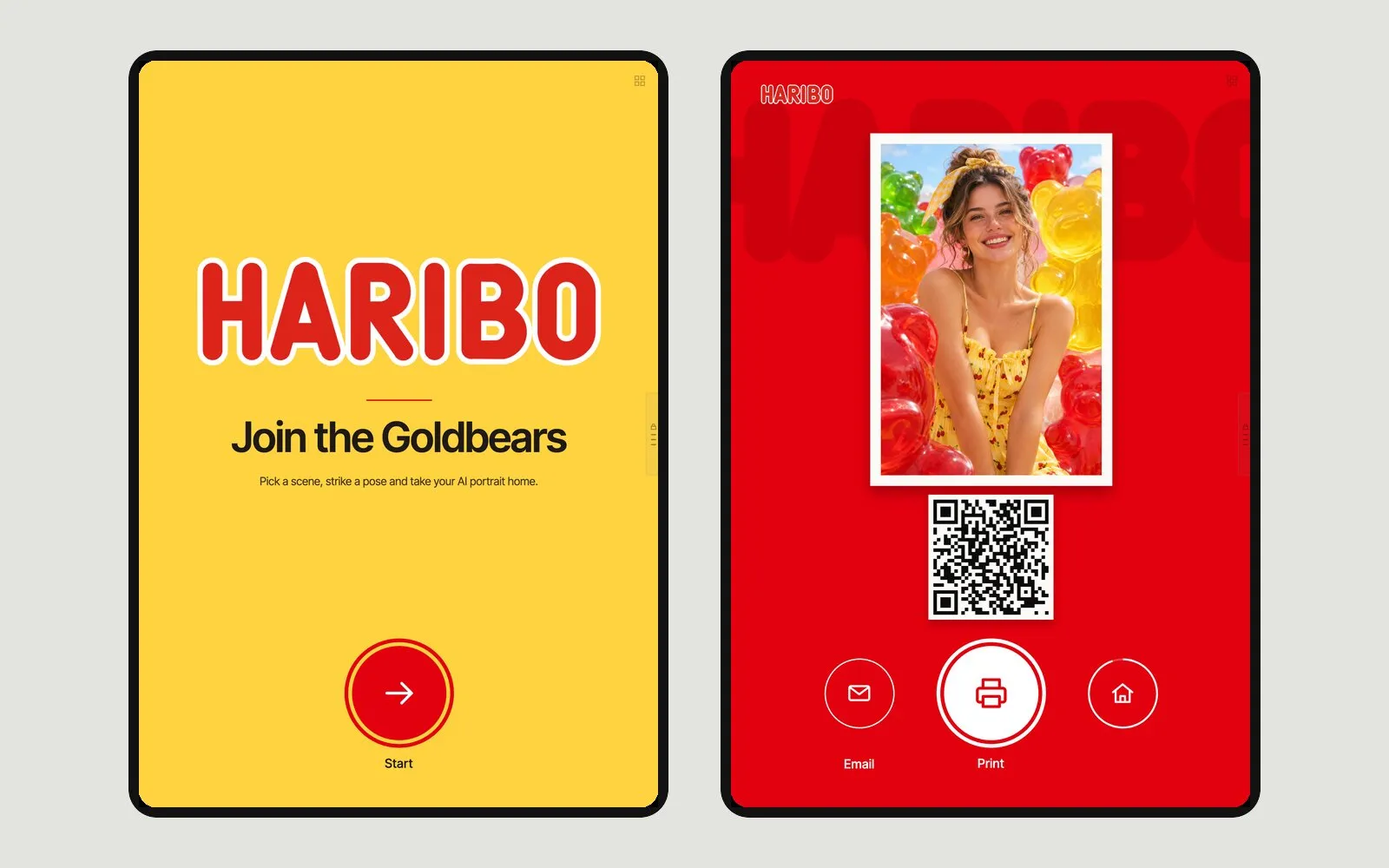
Every result gets its own guest page. Guests scan the QR on the kiosk, download the photo, GIF or video, and share it — no app, no account.
How it works
Scan
The result screen shows a QR code to the guest page.
Download
The photo, GIF or video saves to the phone.
Share
WhatsApp, Facebook and X share the link; for Instagram the file is downloaded first. Email sends the image as an attachment.
Details
- Guest page
- One page per result, opens on any phone browser
- Editable subject and message, image attached, 1–10 sends per result
- Domain
- The guest page can use your own domain
- AirDrop
- Offered on iOS kiosks
Good to know
- Emails attach a still image; GIF and video are downloaded from the guest page.
- Emails are sent from the platform's address, not a custom sender.
- "Sent" is not delivery: the dashboard does not track whether an email was opened or a QR was scanned.
Questions
Does the guest need an app?
No. The guest page opens in the phone's browser; downloads and shares work from there.
Features
-
Guest form and consent
Optional form before or after the shot; each consent box opens your own notice.
Read more · Guest form and consent → -
Remote control
Pair a phone with the kiosk and start the shot from it.
Read more · Remote control → -
Offline mode
In the iOS and Android apps, shots queue offline and are processed when the connection returns.
Read more · Offline mode →